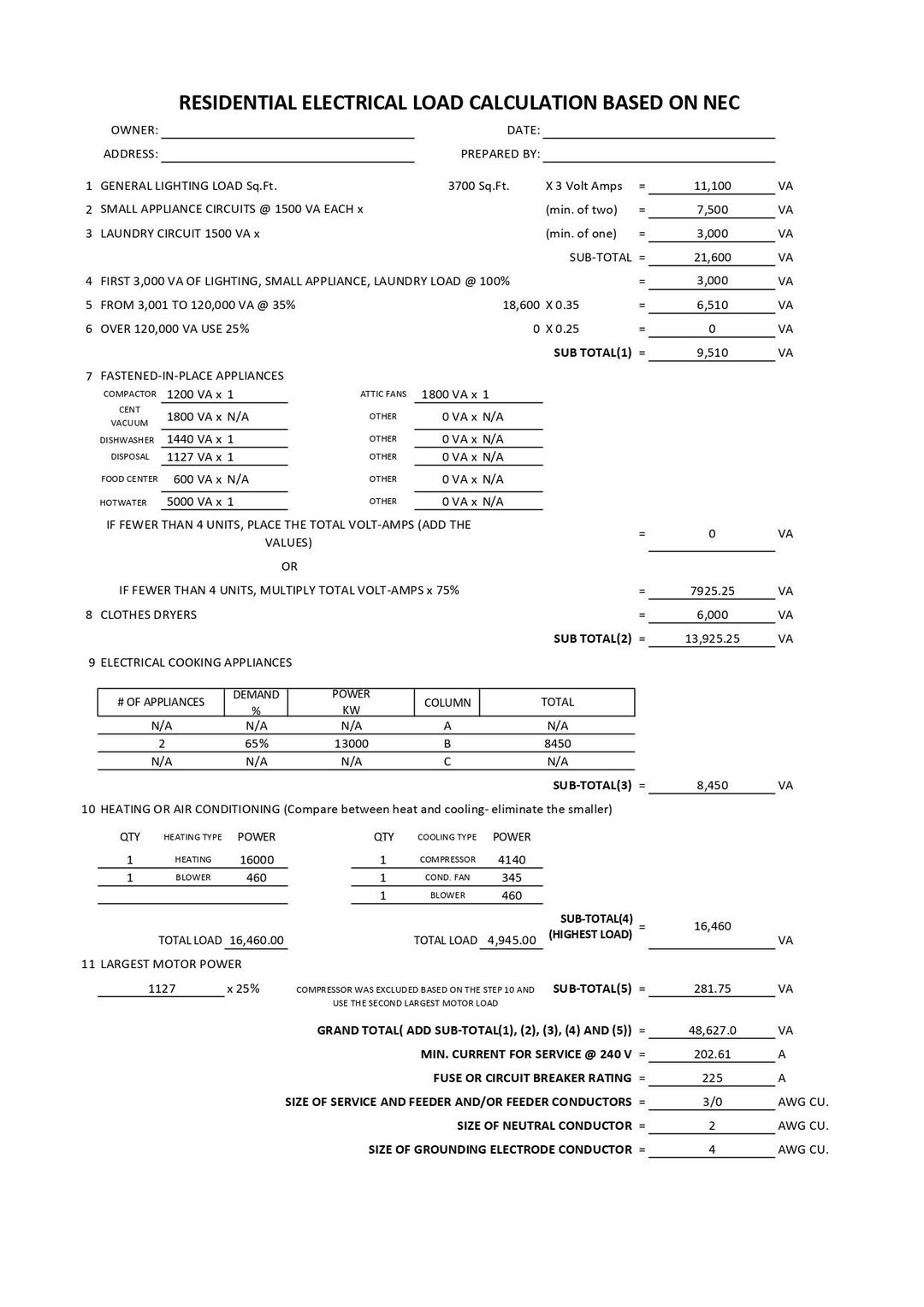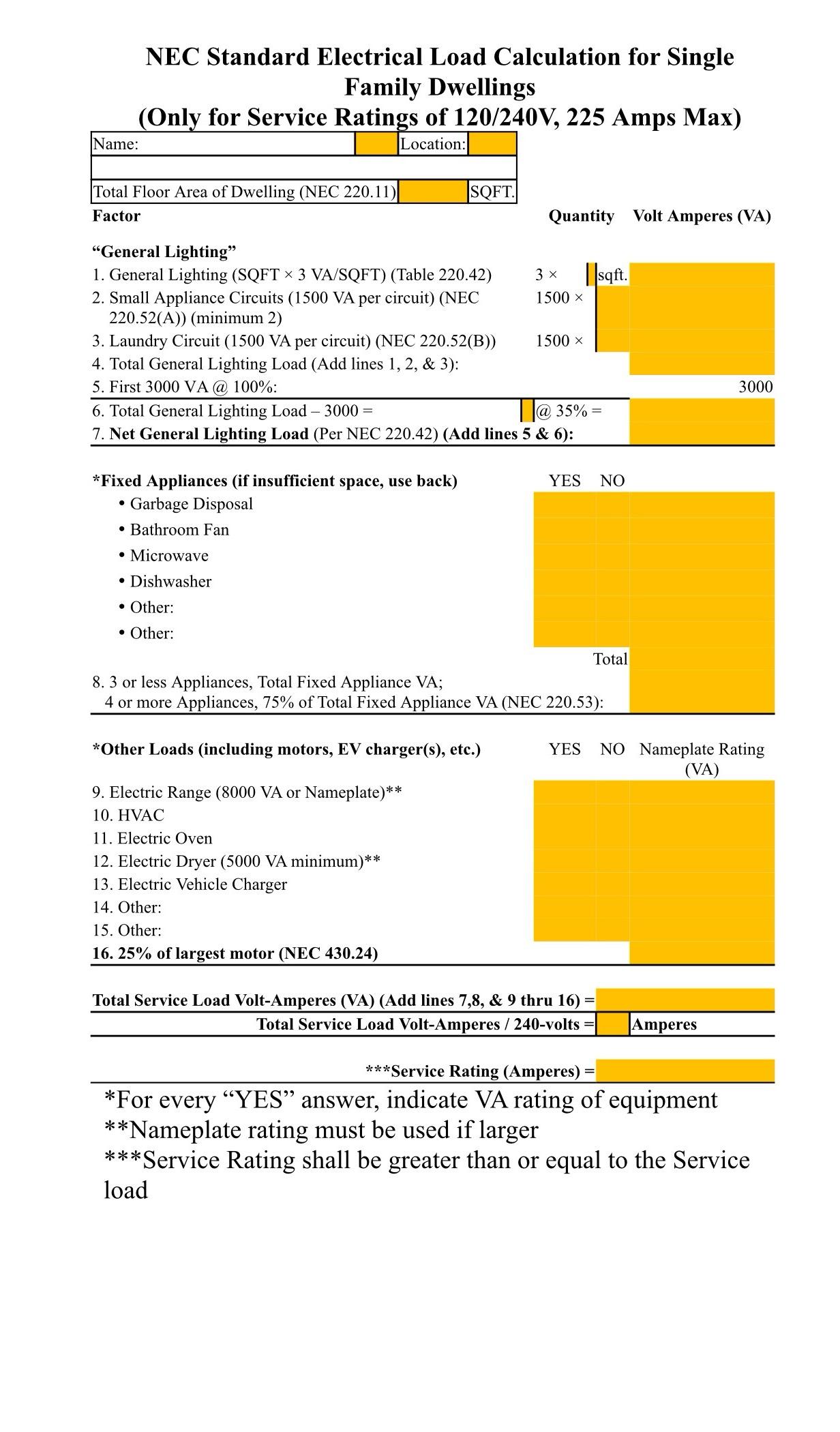
Electrical Load Calculation Worksheet is the dark horse that separates the seasoned engineer from the apprentice who still guesses the amperage of a warehouse lighting system. In a world where every stray amp can spark a costly outage or a code violation, the worksheet becomes the cold, methodical ledger that tracks every watt, every volt, and every hidden demand that lurks behind walls and ceilings. This article cuts through the fluff and delivers a no‑nonsense, step‑by‑step roadmap to building, using, and mastering a load calculation worksheet that works for commercial complexes, multifamily dwellings, and even the stubborn single‑family home that refuses to play by the rules.
Why You Need a Load Calculation Worksheet
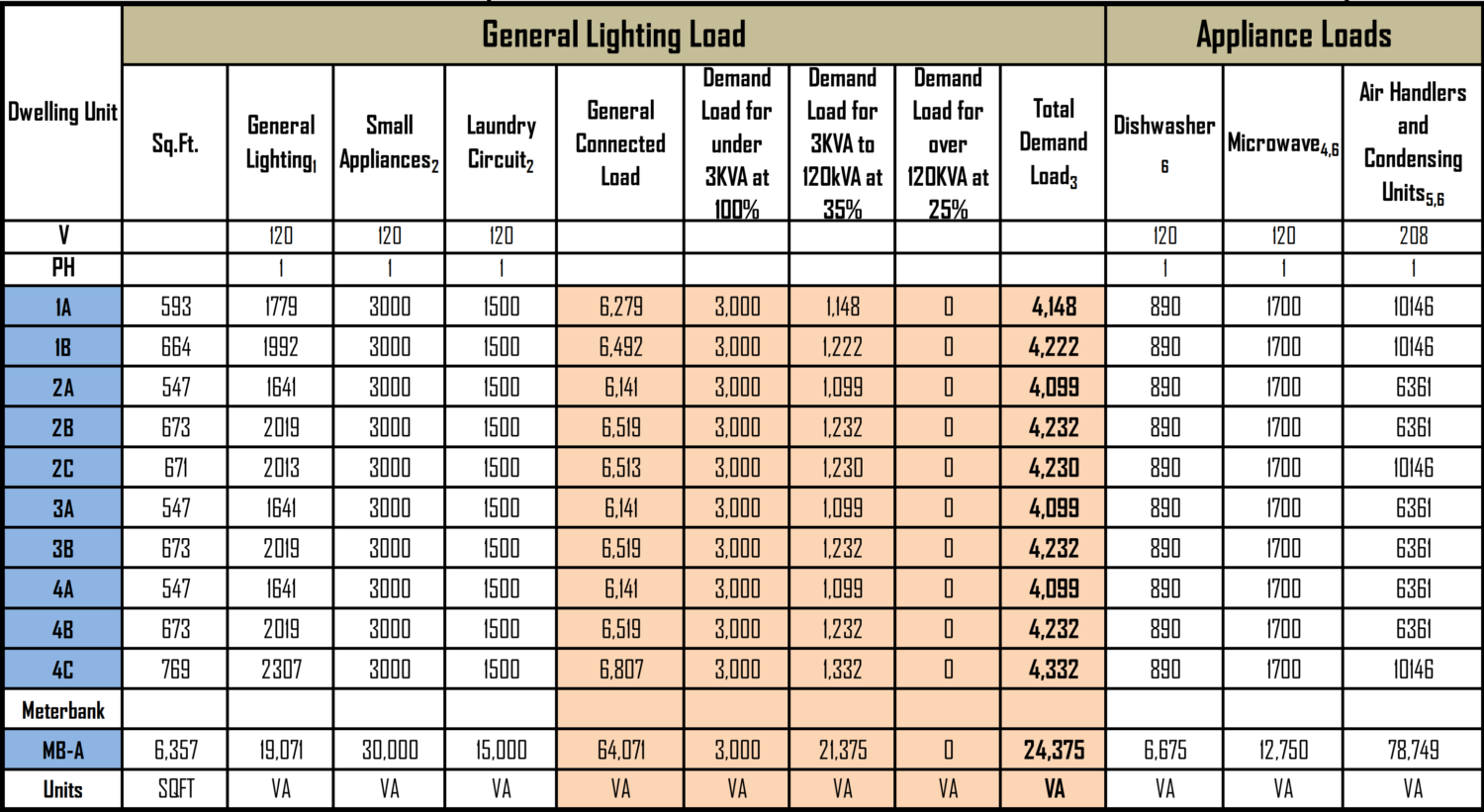
Without a disciplined worksheet, you’re navigating a labyrinth with a flickering torch. The National Electrical Code (NEC) demands precision, and utility companies refuse to fund projects that can’t prove their numbers. A well‑crafted worksheet gives you:
- Traceability: Every figure is backed by a source—be it a manufacturer’s nameplate, a lighting catalog, or a code table.
- Scalability: Add new circuits, upgrade equipment, or re‑zone a floor without rewriting the entire calculation.
- Auditability: Inspectors love a clean sheet that shows exactly how you arrived at a service size.
- Risk Management: Avoid over‑loading, overheating, and the costly downtime that follows.
Core Components of an Effective Worksheet

A load calculation worksheet isn’t a single column of numbers; it’s a living document split into logical sections that mirror the building’s electrical ecosystem. Each section must be isolated, yet linked through formulas that roll up totals to the main service.
Lighting Loads
The lighting load is the backbone of any commercial or residential project. NEC Article 220.12 stipulates 3 VA per square foot for general lighting, but real‑world projects demand nuance.
- Area Measurement: Capture the square footage of each space, from the lobby’s chandelier to the storage room’s bare‑bulb fixtures.
- Fixture Rating: Record the rated wattage of each fixture type; LED strips, HID lamps, and high‑bay fluorescents each have distinct VA values.
- Demand Factor: Apply the appropriate demand factor (often 100% for small spaces, reduced percentages for larger areas) to reflect realistic usage patterns.
Receptacle Loads
Receptacles are the silent workhorses that power everything from coffee makers to industrial machinery. NEC 220.14 mandates a standard 180 VA per receptacle in dwelling units, but commercial settings require a more granular approach.
- General‑Purpose Outlets: Assign 180 VA per outlet for offices, retail, or classrooms.
- Dedicated Circuits: For equipment like kitchen appliances, data centers, or medical devices, use nameplate ratings.
- Continuous Load Adjustment: Multiply by 125% for any load expected to run more than three hours continuously.
Motor and Mechanical Loads
Motors are the beasts that can blow a service if underestimated. NEC 220.61 requires you to calculate the motor’s full‑load current (FLC) and then apply the appropriate multiplier based on service type.
- Identify Motor Size: Record horsepower, voltage, phase, and efficiency.
- Convert to Amps: Use the motor’s nameplate or NEC tables to find FLC.
- Apply Diversity: For multiple motors on the same feeder, use the NEC motor‑load diversity tables to reduce the aggregate load.
HVAC and Refrigeration
Heating, ventilation, and air‑conditioning systems are among the most variable loads. They can swing from a whisper to a roar depending on weather, occupancy, and control strategy.
- Cooling Load: Use the unit’s total cooling capacity (in BTU/hr) and divide by 3.412 to obtain tons, then convert to VA using the unit’s power factor.
- Heating Load: For electric heating, treat the wattage as a continuous load, applying the 125% rule.
- Ventilation Fans: Add nameplate VA and apply the appropriate demand factor for fan motor starting currents.
Specialty Loads
Data centers, medical imaging rooms, and high‑security installations have unique requirements that cannot be shoehorned into generic tables.
- Power‑Factor Correction: Record the unit’s PF and calculate true power (kW) versus apparent power (kVA).
- Redundancy: For critical loads, factor in N+1 or 2N redundancy, effectively inflating the load to account for backup generators.
- Future Expansion: Reserve a percentage (commonly 10‑20%) for anticipated growth, especially in tech‑heavy environments.
Step‑by‑Step Guide to Building Your Worksheet in Excel
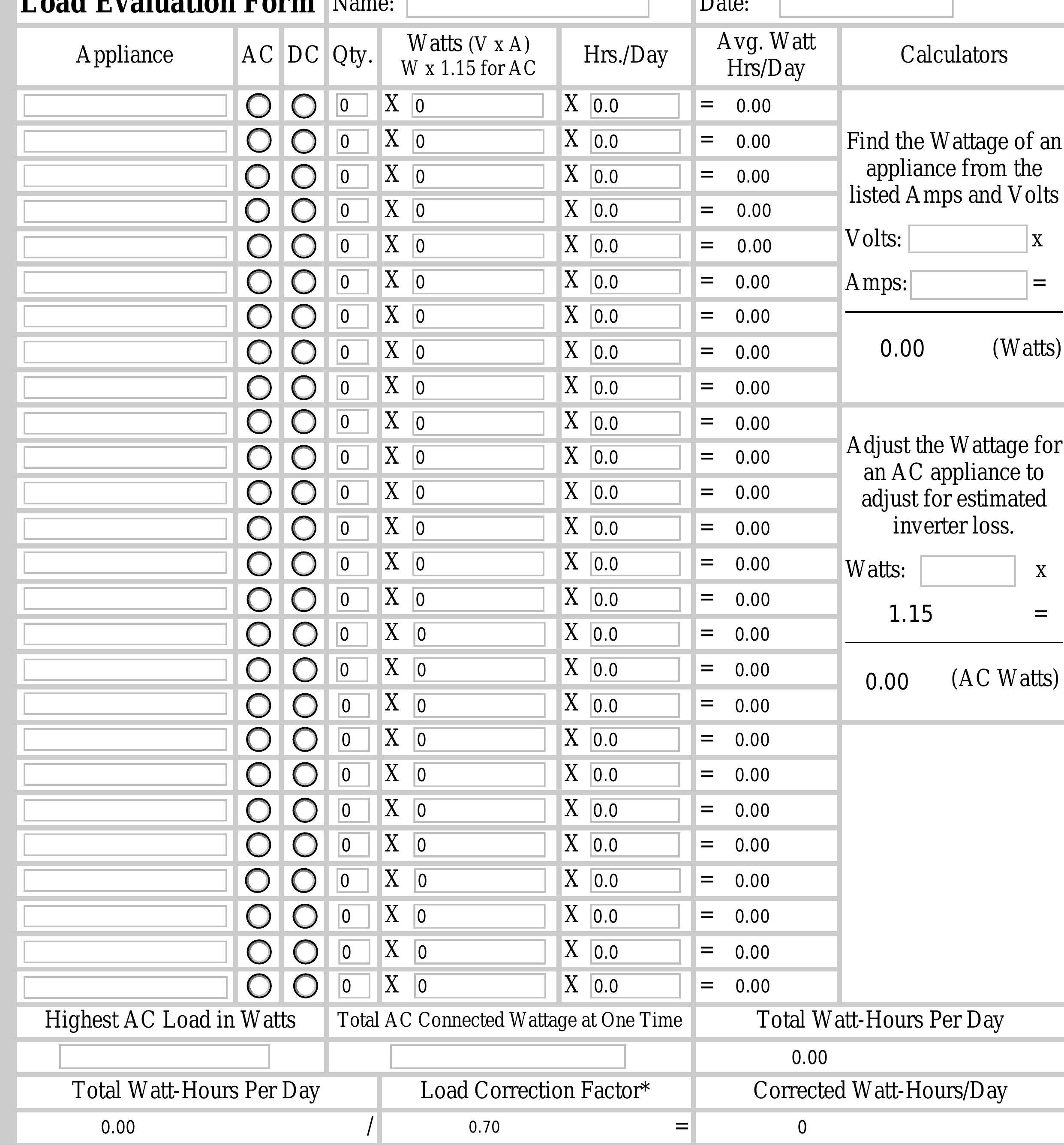
Excel remains the industry standard because it blends flexibility with powerful calculation engines. Follow this rigorous process to construct a bullet‑proof worksheet.
- Set Up the Master Sheet: Create a tab named “Summary” that will pull totals from each discipline. Reserve rows for Service Size, Main Breaker Rating, and a compliance checklist.
- Define Input Tables: For each load category (Lighting, Receptacles, Motors, HVAC, Specialty), create a separate tab. Include columns for Description, Quantity, Unit VA, Demand Factor, and Calculated VA.
- Lock Cells: Protect the formula cells to prevent accidental overwriting. Use Excel’s “Protect Sheet” feature with a password known only to the engineering team.
- Implement Dynamic Naming: Use named ranges (e.g.,
Lighting_Total) so the Summary tab can reference them without hard‑coded cell addresses. - Apply Conditional Formatting: Highlight any calculated load that exceeds 80% of the service rating in red, providing an instant visual alarm.
- Roll Up Totals: In the Summary tab, sum each discipline’s total VA, then apply the NEC 125% multiplier for continuous loads. Finally, convert the total VA to amperes using the formula
Amps = VA / (Voltage × √3)for three‑phase systems, orAmps = VA / Voltagefor single‑phase. - Validate Against Code: Cross‑check the final amperage against NEC Table 310.15(B)(16) for conductor sizing, and ensure the main breaker rating aligns with the calculated load plus a safety margin.
- Document Assumptions: At the bottom of each tab, list every assumption—demand factors, future expansion percentages, PF values—to provide a paper trail for reviewers.
- Export and Archive: Save the workbook as both .xlsx and .pdf. The PDF serves as an uneditable record for permits and client sign‑off.
Common Pitfalls and How to Avoid Them
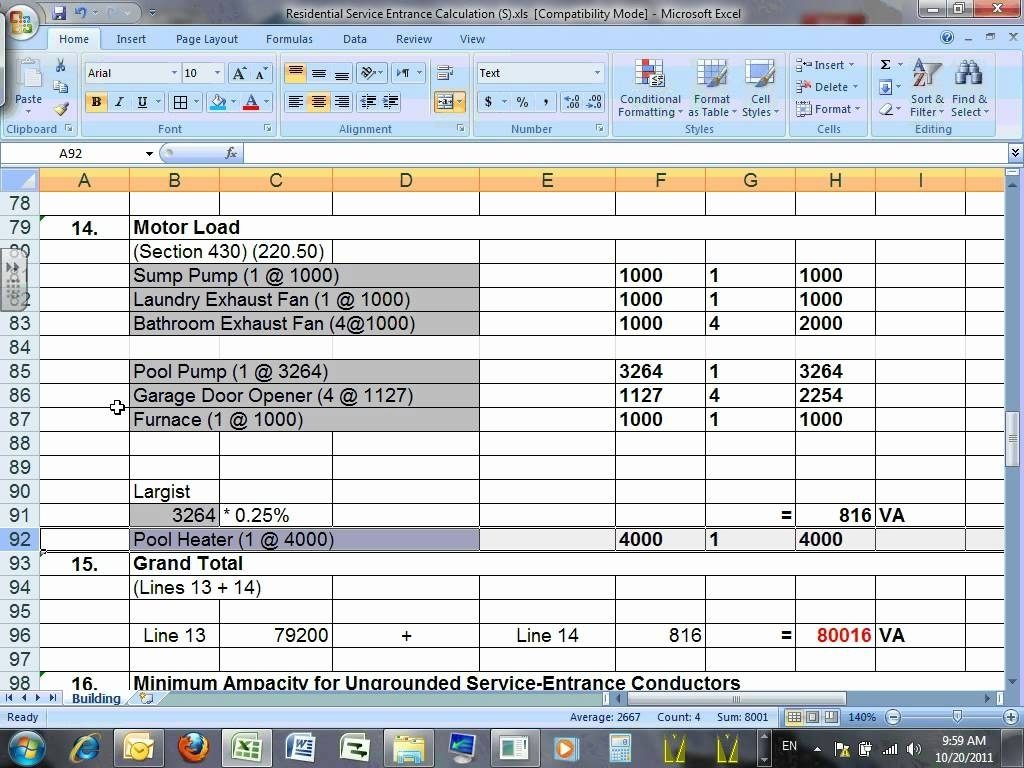
Even seasoned engineers stumble when the worksheet is treated as a static document rather than a dynamic tool. Below are the most frequent errors and the disciplined fixes.
Ignoring Diversity Factors
Applying a 100% demand factor to every motor or receptacle inflates the service size unnecessarily, leading to higher material costs. Always reference NEC diversity tables and adjust the load accordingly.
Misclassifying Continuous Loads
Any load expected to run longer than three hours continuously—such as HVAC, lighting in 24/7 facilities, or server racks—must be multiplied by 125%. Forgetting this step can cause breakers to trip under normal operation.
Overlooking Power Factor
Many engineers calculate load based solely on wattage, ignoring the lagging nature of inductive loads. Use the nameplate power factor to convert kW to kVA; this prevents under‑sizing the service.
Hard‑Coding Numbers
Embedding static values directly into formulas makes future updates a nightmare. Use cell references and named ranges to keep the worksheet flexible.
Failing to Account for Starting Currents
Large motors and compressors have inrush currents many times higher than their running current. Include a starting‑current multiplier (often 6–8×) in a separate column to ensure feeder and protective device sizing is adequate.
Real‑World Scenarios: Commercial vs Residential
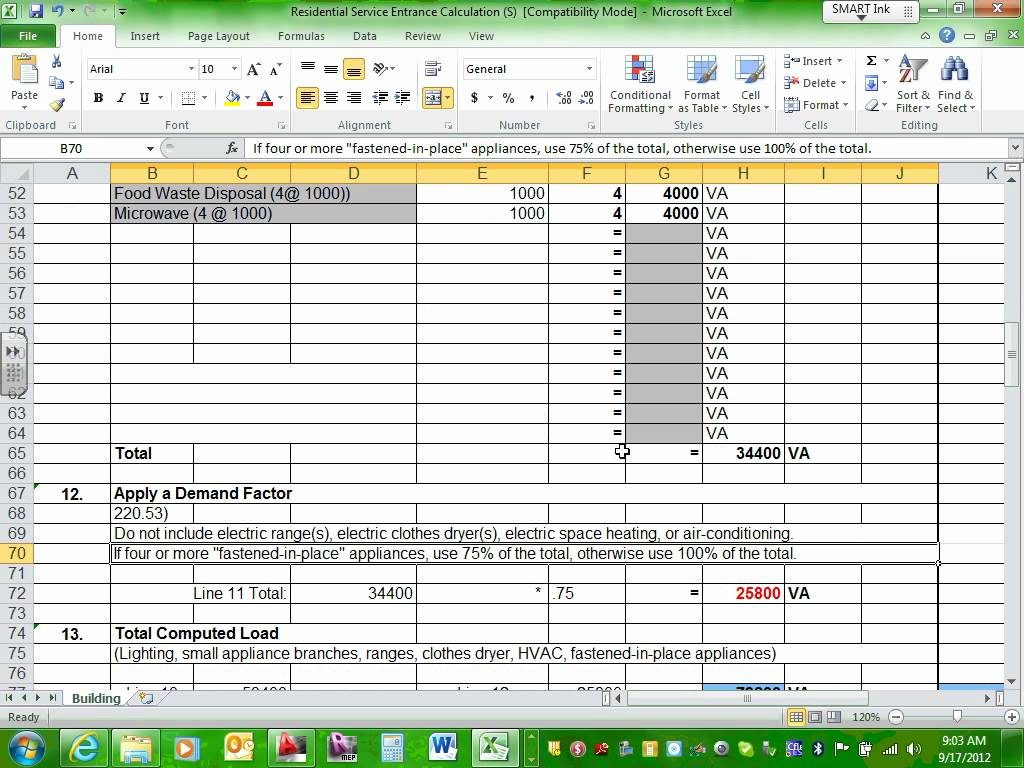
The principles stay the same, but the application diverges dramatically between a 10‑story office tower and a suburban duplex.
Commercial High‑Rise Office
Consider a 200,000 sq ft office building with open‑plan workspaces, conference rooms, a data center, and a café. The worksheet must juggle:
- Lighting: 3 VA/ft² for general areas, plus specialized lighting for conference rooms.
- Receptacles: 180 VA per outlet, with dedicated circuits for server racks (using nameplate VA).
- HVAC: Central chilled water plant with variable‑air‑volume (VAV) boxes, each rated in tons and converted to VA with PF adjustments.
- Elevators: Motor loads with high inrush currents, requiring diversity reduction per NEC 220.62.
- Future Expansion: 15% reserve for tenant fit‑outs.
When the worksheet rolls up these numbers, the resulting service may land at 2000 A at 480 V three‑phase, dictating a 4000 A transformer with appropriate step‑down distribution panels.
Residential Multi‑Family Complex
A 24‑unit apartment building presents a different challenge. The worksheet must respect the dwelling unit load calculation rules while also handling common‑area loads.
- Unit Lighting: 3 VA/ft² per unit, plus individual fixture VA.
- Receptacles: 180 VA per outlet, with laundry circuits calculated at 1500 VA per unit.
- Common Areas: Hallway lighting, fire alarm circuits, and a small gym—all aggregated under a separate service.
- Demand Factor: Apply the NEC 220.84 multifamily demand factor, which dramatically reduces the total load compared to a straight sum.
The final service size often hovers around 400 A at 240 V single‑phase, with a separate 200 A feeder for the common‑area panel.
Optimizing for Code Compliance and Future Expansion
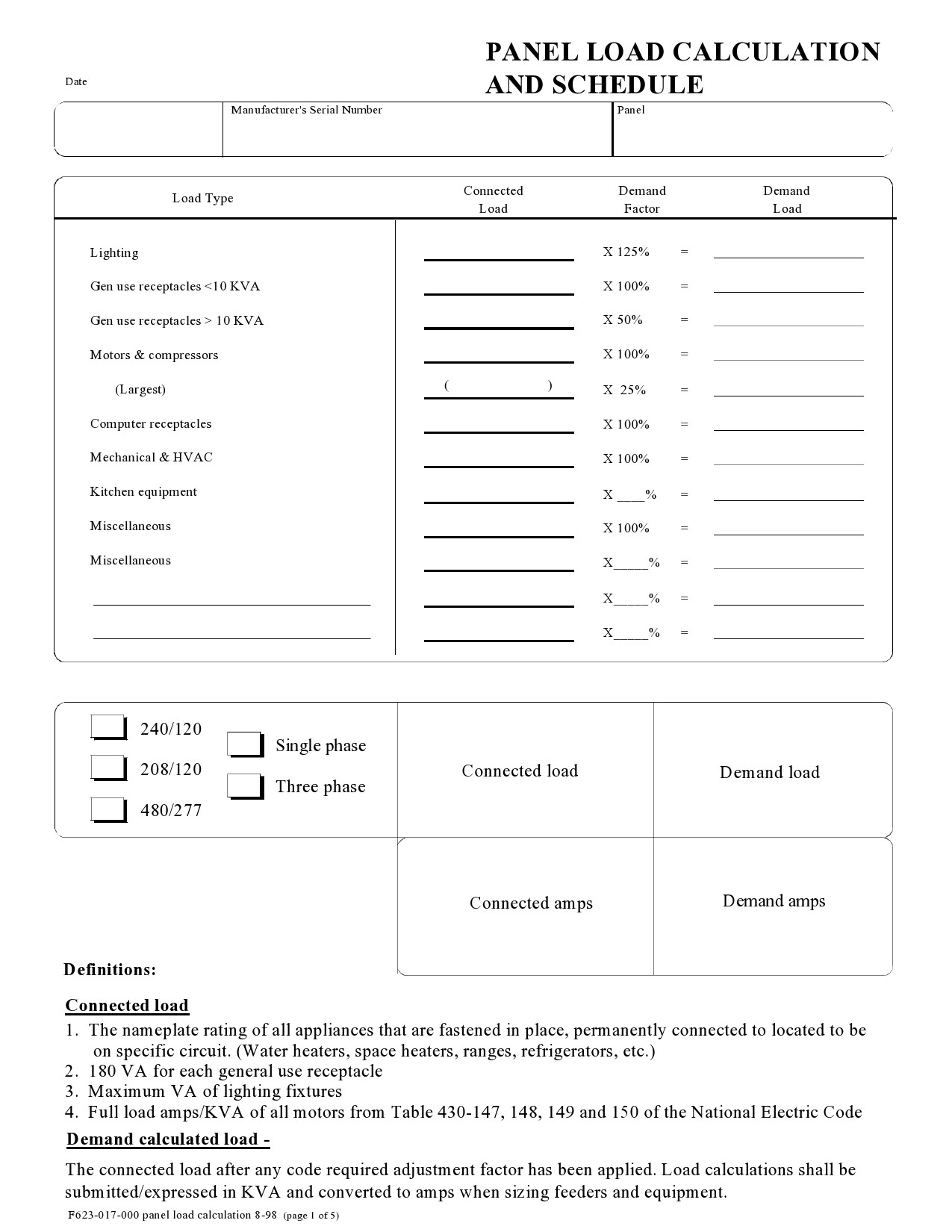
A worksheet that passes today’s inspection can become obsolete tomorrow if the building’s purpose evolves. Embed flexibility directly into your calculations.
Modular Tab Structure
Separate each load type into its own tab, then reference them in a “Master” tab. When a new HVAC system is added, you simply duplicate the HVAC tab, adjust the values, and the master totals update automatically.
Scenario Analysis
Include columns for “Base Load,” “Peak Load,” and “Future Load.” Use Excel’s data‑validation drop‑downs to toggle scenarios, allowing stakeholders to see the impact of adding a new floor or upgrading to LED lighting.
Automated Code Alerts
Leverage conditional formatting to flag any line item that exceeds NEC thresholds. For example, if a motor’s calculated starting current exceeds the feeder’s ampacity, the cell turns red, prompting an immediate redesign.
Documentation and Revision Control
Every time the worksheet is edited, update a revision log at the bottom of the Summary tab. Include date, author, and a brief description of changes. This log satisfies both internal audits and external regulator requests.
Conclusion
The Electrical Load Calculation Worksheet is not a bureaucratic afterthought; it is the analytical engine that powers safe, efficient, and code‑compliant electrical designs. By dissecting loads into disciplined categories, applying NEC demand factors, respecting power‑factor realities, and embedding flexibility through Excel’s dynamic features, you create a living document that survives code updates, expansion projects, and the occasional midnight inspection. Master this worksheet, and you hold the key to unlocking reliable power delivery—no matter how dark the building’s interior or how complex the load matrix may become.